


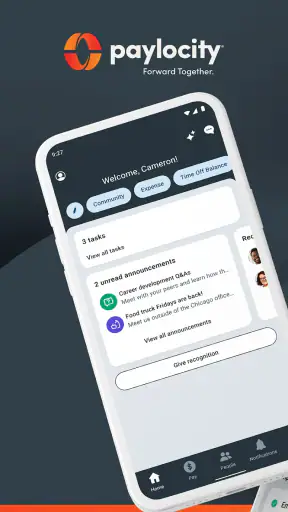
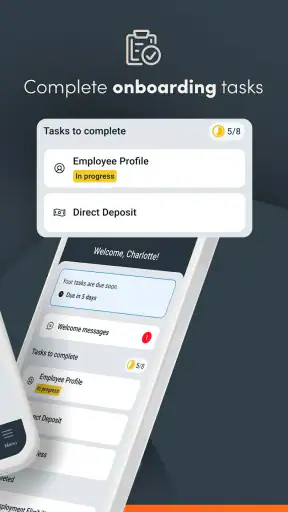
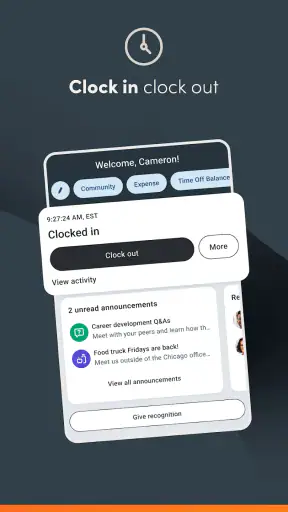
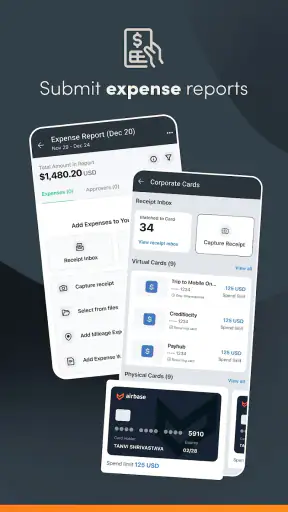
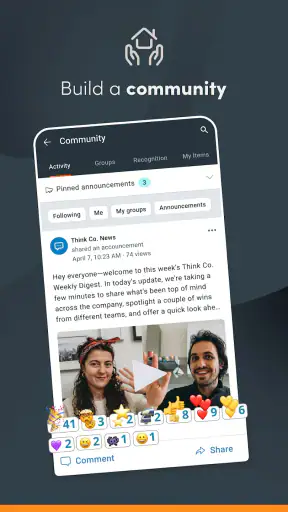
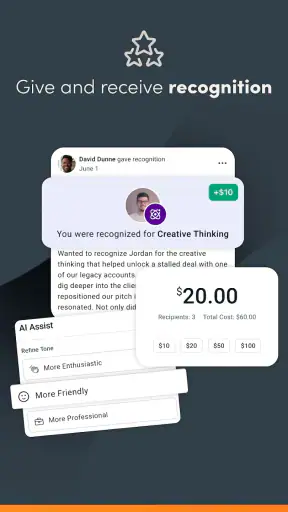
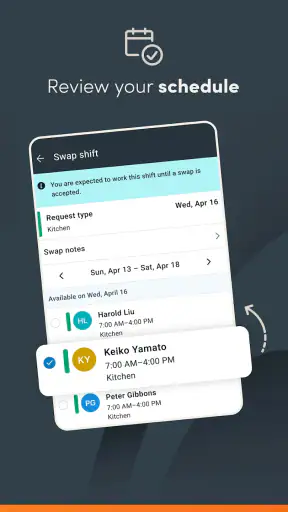
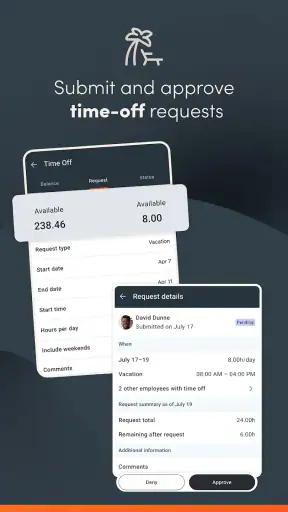
When I look at Paylocity as an employee app, I see a practical workplace companion rather than a general productivity tool. It is built by Paylocity for organizations that already use its payroll and employee-management services, giving staff a way to reach work information away from a desk. That distinction matters immediately: the app can be useful every day, but its value depends heavily on how an employer has configured the wider Paylocity system.
I approached it as someone deciding whether this is the right place for routine work tasks, not as someone comparing flashy features. The important questions are simple: Can I quickly find the information I need? Does it reduce the need to contact payroll or human resources? Is it suitable for a phone-first workday? And what happens if my company uses another employee portal already? My overall view is positive, especially for people whose employer has made Paylocity the central workplace system, but I would not recommend choosing it in isolation from that employer relationship.
What I would check before relying on it
The first decision criterion is access. Paylocity is not a standalone payroll service that an individual can simply adopt for personal use. It is an employee-facing app connected to an organization’s Paylocity environment. Before installing it, I would confirm that my employer uses Paylocity and ask which parts of the service are enabled for staff. That one check prevents the most common disappointment: downloading the app and expecting it to work without an organization account.
The second criterion is the kind of work information I need on the move. If I mainly want a convenient route to workplace details that would otherwise require a desktop browser, this app makes sense. If I am looking for a full project-management workspace, a team chat replacement, or a personal budgeting app, I would look elsewhere. Its business focus is clear, and the best experience comes when the app is treated as an extension of an employer’s existing system.
I also consider how often I need mobile access. Someone who checks work information once a month may be perfectly happy using a browser. Someone who works across locations, has irregular hours, or does not sit near an office computer has a stronger reason to keep the app available. In that situation, the phone becomes a convenient entry point instead of a backup option.
Paylocity has a 4.7 average from around 293 thousand ratings, with roughly 26 thousand written reviews. Those figures suggest that many people find it useful, but they should not be treated as a guarantee for every workplace. Employee apps can feel very different depending on employer setup, account permissions, and the information an organization chooses to expose. I would read the rating as evidence of broad acceptance, not proof that every feature will be available to me.
Why the mobile format can be genuinely useful
The strongest reason to use it is convenience during small moments in the day. I can imagine checking a workplace detail before leaving home, reviewing information during a break, or handling a quick administrative task without opening a laptop. Those moments sound minor, but removing several small trips to a desktop can make an employee portal feel much less burdensome.
A realistic example would be an employee who works different shifts and needs to check a work-related detail before heading out. Instead of waiting until arriving at a computer, that person can open the mobile app and look for the relevant information immediately. The benefit is not entertainment or novelty; it is shortening the distance between a question and the place where the answer may be stored.
That convenience is especially relevant for staff who are rarely at a desk. A phone is already part of their daily routine, while a browser-based employee portal may feel like something reserved for office hours. Paylocity’s role is to bring that workplace access into the same device people already carry, which is a sensible approach for a modern business service.
Where Paylocity wins over a browser-only routine
Compared with relying only on a desktop website, the app has a more immediate feel. I do not have to remember to open a particular browser tab or wait until I am at work. That makes it better suited to quick checks and short administrative visits. The difference is not necessarily about having more information; it is about making existing information easier to reach at the moment I need it.
It also has an advantage over scattered workplace tools when an employer has chosen Paylocity as its main employee channel. A single familiar destination can be easier than remembering which separate service handles which task. I would rather begin in one known app than search through email threads, old bookmarks, and different portals every time a routine question comes up.
Another practical strength is its broad reach. The app is free to install, carries an Everyone age rating, and has passed the five-million-install mark. It also supports Android devices starting with version 8.0, which makes it accessible to many people using older phones. The free price removes a personal cost barrier, although the employer account remains the real requirement for usefulness.
That last point is worth emphasizing. “Free” does not mean that the app replaces an employer’s subscription or that every employee receives the same experience. It means I can install the mobile client without paying for the download. The organization’s Paylocity arrangement determines whether I can sign in and what I can do after signing in.
Small habits that make the app more useful
My first practical tip would be to install and sign in before an urgent need arises. Employee portals are most frustrating when someone waits until a deadline, a pay-related question, or a work change requires immediate access. Setting up the app during a calm moment gives me time to resolve account or sign-in issues with the appropriate workplace contact rather than discovering them at the worst possible time.
My second tip is to treat the app as a starting point for verification, not as a replacement for understanding company policy. If I see workplace information that affects an important decision, I would compare it with the relevant employer communication or ask human resources when the situation is unclear. A mobile screen is convenient, but convenience should not encourage me to guess when a policy needs interpretation.
My third tip is to keep personal and work routines separate. Because the app places workplace information on a personal phone, I would be deliberate about notifications, screen privacy, and signing out if the device is shared. I would also avoid assuming that deleting the app resolves every account concern; access and account questions belong with the employer or Paylocity support route available to that organization.
Where another type of tool may fit better
Paylocity is not automatically the best option simply because it is available. If my employer already provides a well-organized browser portal and I rarely need mobile access, the app may add little. A website on a computer can be more comfortable for reading long documents, comparing several pieces of information, or completing tasks that require sustained attention. I would choose the app for quick access, not because a phone is always the superior screen.
A dedicated communication tool may also be better for conversations. If my main need is live discussion with colleagues, group messaging, or project coordination, I would expect a workplace chat or collaboration service to be more suitable. Paylocity belongs closer to the employee-administration side of business software. It should not be judged as though it were designed to replace every tool a company uses.
The same applies to scheduling and task work. A manager who needs detailed planning, shared project boards, or extensive document collaboration may need specialized software alongside Paylocity. I would not force one employee app to serve as a complete operating system for a team. Its value is strongest when it handles the employee information assigned to it and works alongside tools designed for communication or production.
There is also a personal preference issue. Some people dislike using their own phone for work, even when an app is free. They may prefer a company device or a computer-based route for privacy and separation. In that case, the browser or an employer-provided access method may be a better fit. Paylocity can make work information easier to reach, but that convenience is not worth much if it blurs boundaries that matter to me.
Limitations I would keep in mind
The biggest limitation is dependence on the employer’s setup. Two employees can use the same app and have different experiences because their organizations expose different information or workflows. If a feature I expect is unavailable, that may be a configuration or account issue rather than a problem with the mobile interface itself. Still, from a user’s perspective, the distinction does not remove the frustration.
Mobile access also has natural limits. A phone is excellent for short visits, but less comfortable for carefully reviewing a large amount of information. Small screens, typing, connectivity, and interruptions can all make a task slower than it would be on a computer. I would use Paylocity for convenience and immediacy, while keeping a desktop option available for anything that deserves concentration.
Another possible friction point is knowing where to ask for help. If the problem concerns login access, employer settings, or a workplace record, the right contact may not be obvious from the app alone. Before assuming the application is broken, I would check whether the issue is specific to my account or organization. That may sound basic, but it saves time when the mobile client is only one part of a larger business system.
The current version is 26.7.7, and the app has been available since July 12, 2013. I see that long presence as reassuring in the sense that this is an established business application rather than a new experiment. At the same time, a mature app can still feel more administrative than polished, and I would judge it by whether it gets routine work information to me efficiently rather than expecting a consumer-social experience.
What switching really involves
If my employer already uses Paylocity, switching from a browser-only habit is relatively simple in concept: install the app, confirm access, and learn where the information I use most often is located. The real adjustment is behavioral. I need to decide which tasks are genuinely easier on a phone and which should remain on a larger screen. Trying to do everything through mobile access would be unnecessary.
If my organization uses another employee platform, switching is not an individual app decision. It would involve employer adoption, account administration, communication, and training. I would not recommend asking a company to change systems merely because a mobile app looks convenient. The organization would need to compare its existing payroll and employee processes, support responsibilities, and staff habits before making that move.
For an individual employee joining a company that already uses Paylocity, the transition is much less dramatic. I would save the app for the organization’s official access instructions, avoid relying on unofficial sign-in advice, and test it before I need it. I would also keep important workplace records in the proper company-approved place rather than treating screenshots or personal notes as authoritative copies.
That is an important trade-off: the app can reduce friction without eliminating responsibility. It gives me a faster route to workplace information, but I still need to know which information is official, who can correct an error, and when a mobile view is not enough to understand the full context.
Who should use it and who should skip it
I would recommend Paylocity to employees whose organizations already rely on Paylocity and who want convenient access away from a desk. It is particularly sensible for people with mobile workdays, changing locations, or limited time at a computer. Managers and staff who regularly direct employees to the same workplace system may also appreciate having a phone-friendly route available.
I would be more cautious for someone who rarely uses workplace information outside a computer and does not want work-related access on a personal device. That person may gain little from installing another app. I would also suggest skipping it as a personal purchase if there is no employer connection, because the app’s usefulness comes from its relationship with an organization rather than from independent consumer features.
For companies comparing categories of alternatives, I would separate the decision into two parts. Use an employee-management platform for employee information and administrative access; use communication, scheduling, or project tools when those are the actual problems to solve. Paylocity can occupy the first role effectively, but it should not be selected as a substitute for every other category.
My recommendation after weighing the trade-offs
My recommendation is straightforward: if your employer uses Paylocity, install it and give it a fair trial, especially if you often need work information while away from a desk. The free download, broad device support, and strong overall reception make the experiment easy to justify. I would begin with the few tasks I perform most often, then decide whether the mobile route genuinely saves time.
I would not choose it solely because it has a high rating or many installs. Those signs show that it works well for a large audience, but the deciding factor is still your employer’s setup and your own work habits. If you need deep document work, extensive collaboration, or strict separation between personal and professional life, a browser, company device, or specialized alternative may suit you better.
In my view, Paylocity succeeds when it stays in its proper lane: a convenient business app that brings employer-provided information closer to employees. The best reason to use it is not that it replaces every workplace tool, but that it removes unnecessary distance from routine employee tasks. For the right organization and the right kind of user, that is a useful improvement rather than a gimmick.
After testing the idea against everyday use, I would keep Paylocity on my phone if my workplace depended on it and I valued quick access. I would pair it with a computer for longer or more sensitive work, and I would contact the employer when account or configuration questions appeared. That balanced approach captures what the app does well without expecting it to be something it was never meant to be.


